Productivity Systems: How to Pick One by the Size of Your Life
Productivity systems fall into three sizes. Match one to your life, from a single list to a shared household, then build it in Notion with five views.
By Notion Life OS by Cosmo Suite · Editorial policy
Published · 8 min read
Most advice about productivity systems asks you to pick a method first: Getting Things Done, the Eisenhower Matrix, time blocking. That is the wrong first question, because the method has to match the quantity of responsibilities you are currently tracking.
The short answer: a productivity system is a set of rules for where tasks go in, how they get ranked and when you look at them again. Pick the smallest one that holds everything you track now. One person with one list needs one view. A person running work, money and health needs areas and a weekly review. A household needs shared ownership on top.
Ness Labs makes the same point from the other side. Its author, Anne-Laure Le Cunff, writes that no system is perfect for everyone and that a system for a young developer will not suit a director of operations with three kids. Size is the missing variable in most comparisons, and the following sections explain how to measure yours.
Productivity Systems at a Glance
The table sorts systems by how many things you track, not by how famous the method is.
| Size of your life | You track | Rules you need | Methods that fit | Notion pieces |
|---|---|---|---|---|
| One list | One job, a few errands | Capture, rank, review daily | Eisenhower Matrix, a six-task daily list | One task database, one view by due date |
| Several areas | Work, money, health, home | Capture, areas, weekly review | GTD-style capture, a weekly sweep | Master to-do, a category property, habit tracker |
| A shared household | Two or more people | Owner per task, shared calendar | Kanban-style status columns, a shared calendar | Owner property, status board, calendar view |
Find your row in the table, then set the other rows aside. The mistake is running a household system for a one-list life. You will spend more time maintaining the system than benefiting from it.
What Does a Productivity System Connect To?
A system is not a list of tasks. A system is a set of pages that feed each other. A task you add on Monday should appear on the calendar, count toward the area it belongs to and surface in Sunday's review without any manual copying.
That is why a pile of good apps often fails. Your tasks live in one place, your notes in another and your habits in a third. Each application works individually, but nothing connects them, so you become the only integration between them.
Notion's views, filters, sorts and groups let you show one database in several ways without changing the data. One task list can power a daily view, a weekly view and a monthly calendar if the properties are set up once: a due date, a category and a status. That arrangement is the whole technique, and it works the same way at every size of life.
Step 1: Count What You Track
Before you choose a method, write down what you track right now. Consider even the things you only hold in your head.
- Tasks for work or study.
- Errands and home upkeep.
- Money you check or move on a schedule.
- Health items: workouts, appointments, habits.
- Events and dates other people set.
If you have one or two lines, you are in the first row of the table. Four or five lines means several areas. If another person's tasks sit in your head too, you are in the household row.
This inventory also indicates what to leave out entirely. A person with two lines does not need a system for money.
Step 2: Match a Method to the Rule You Lack
Each method fixes one gap. For example, a brain dump fixes capture, and a matrix fixes ranking. Pick the one for your gap, not the most popular one.
No capture rule. Tasks live in texts and sticky notes. Fix: one inbox. Every task goes there first and gets a due date and a category later. Getting Things Done starts with exactly this step, a brain dump of everything on your mind.
No ranking rule. Everything feels urgent. Fix: the Eisenhower Matrix sorts tasks by urgent and important, then tells you to do, schedule, delegate or delete. In Notion this is two properties and one filtered view.
No review rule. You capture and rank, then forget. Fix: a 20-minute weekly review that reads from tasks, habits and the calendar in one pass. Without that regular examination, the list keeps growing until you eventually stop trusting it.
No shared rule. Two people, one fridge calendar. Fix: an owner property on every task and a status column anyone can scan.
Best for: anyone who has tried a method and dropped it. You probably picked a fix for a gap you did not have.
What One Week Looks Like in Notion
Here is the one-person, several-areas system as five views over a few databases.
| View | Filter | Answers |
|---|---|---|
| Today | Due date is today, status not done | What do I do now? |
| This week | Due date this week, grouped by category | Where is the load? |
| Overdue | Due date before today, status not done | What am I avoiding? |
| Habits | Weekly habit tracker, this week | Did I keep my routines? |
| Month | Calendar view of the same task list | What is coming? |
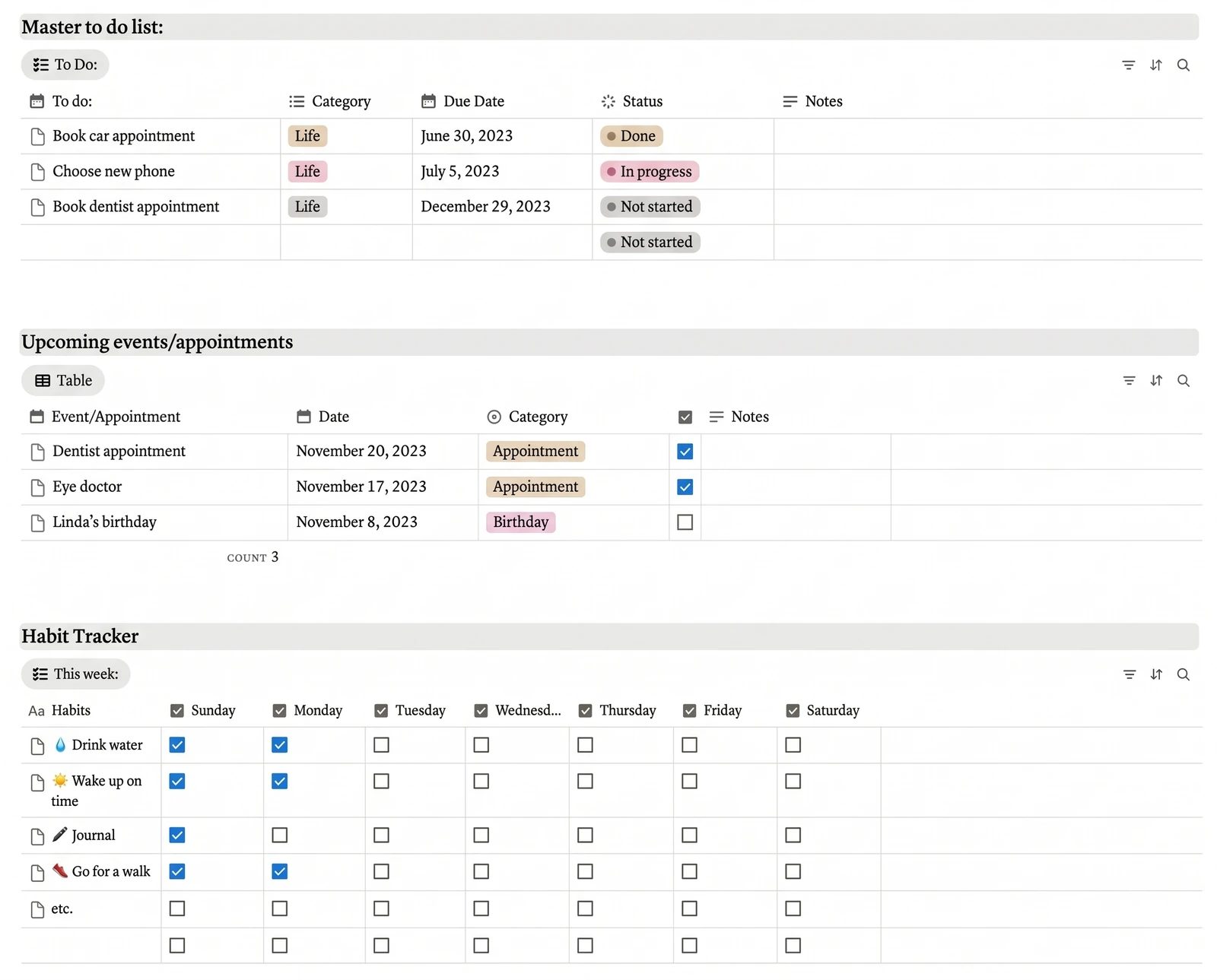
The task list is one database. The five views are five filters on it. That is a connected system, and you can rebuild it by hand in an evening or two if you know Notion.
A Worked Example: Moving to a New City
This is a demo of the method, not a page in the template. Say you move to a new city in March and track twelve things: six tasks, three errands, two appointments and one money line.
That is five lines on the count, so you sit in the several-areas row. The inbox takes all twelve on day one. Each gets a category: Lifestyle for the lease and the new gym, Finances for the deposit, Health & Fitness for a new doctor. The Overdue view shows only two items on Sunday, so the weekly review takes five minutes and ends with a top three.
By week three, four of the twelve are done and two slipped twice. You split one and delete the other. Nothing was copied between lists. The same twelve rows fed the Today view, the calendar and the review.
Where Do Areas Come In?
Areas of life answer the question "what is this task for?". For instance, a task to book a dentist and a task to renew a lease are both tasks, but they belong in different parts of your life, and you will want to see them apart.
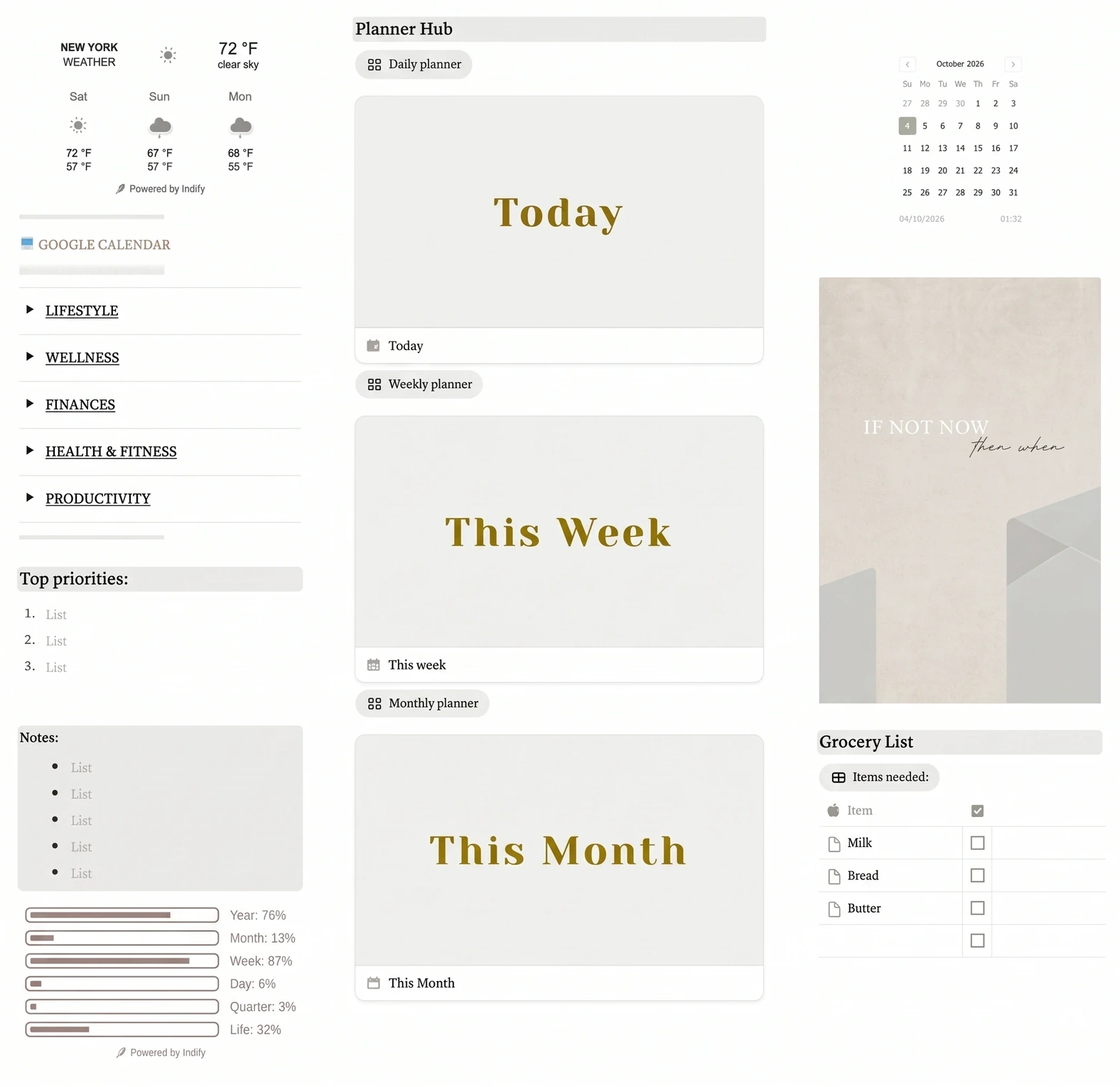
The Notion Life OS template splits a life into five areas: Lifestyle, Wellness, Finances, Health & Fitness and Productivity. Each task carries a category, so the same master to-do list reads as five different lists when you filter it. A dashboard on top shows a quote, your main goal, your top priorities and notes, so the first screen of the week is already a plan.
Five areas is a design decision, not a requirement. Fewer areas are easier to maintain, so if you only track two, use two.
Why Systems Fail at the Handoff Between Sizes
Most systems do not fail because the method was wrong. They fail at the moment a life grows past the size the system was designed for, and nobody notices the change. A new job adds a second set of deadlines, a move adds paperwork and money questions, and a partner adds shared obligations that one personal list cannot represent.
The signal is easy to recognise once you know it. You start keeping a second list beside the first, or you stop trusting the weekly review because it no longer shows everything that matters. At that point the answer is to move up one row of the table, not to switch methods. Add an area property before you add another app, and add an owner property before you add another list.
The reverse also holds. When a busy season ends, hide the areas you no longer use rather than deleting them, so the structure is still waiting when the next season begins.
The Part Most Guides Leave Out: Review Beats Method
Method debates are fun, and they rarely decide whether your system survives. A review does, because it is the only moment the system reads itself back to you. Without that read, even a clean list slowly fills with tasks you no longer mean to do.
- A fixed time. Put the review in the calendar. A review that depends on having spare time will rarely happen.
- A short script. Three questions: what got done, what slipped, what is next week's top three.
- A rule for what to drop. If a task slips three weeks in a row, delete it or break it into a smaller one.
Research supports looking back often. A 2016 meta-analysis of 138 studies in Psychological Bulletin, covering 19,951 participants, found that monitoring goal progress promoted goal attainment. A system with a weak method and a weekly review beats a perfect method you never open. For a longer version of this loop at year scale, see this breakdown of a year-in-review in Notion. For how the parts connect, read what a Life OS is and what decides whether it works.
How We Made and Checked This
We're the Cosmo Suite team that sells the Notion Life OS template, so we have a stake in the conclusion. The three sizes, the count and the five views are our own design. The template's contents come from the template as delivered to buyers. The moving example uses sample numbers, not a real person's data, and the views are a labelled demo, not a template page unless the table says so. Notion details come from Notion's help center and pricing page, checked on 13 October 2026. The Ness Labs piece is undated, so we cite it without a date. Notion updates its plans, so verify before you build. You can read who we are and how to contact us and how we write and fact-check posts.
Where Notion Life OS Fits
A confident Notion user can build most of this alone. The build is the cost: databases, properties, filters and the links between them. That is the time a template saves.
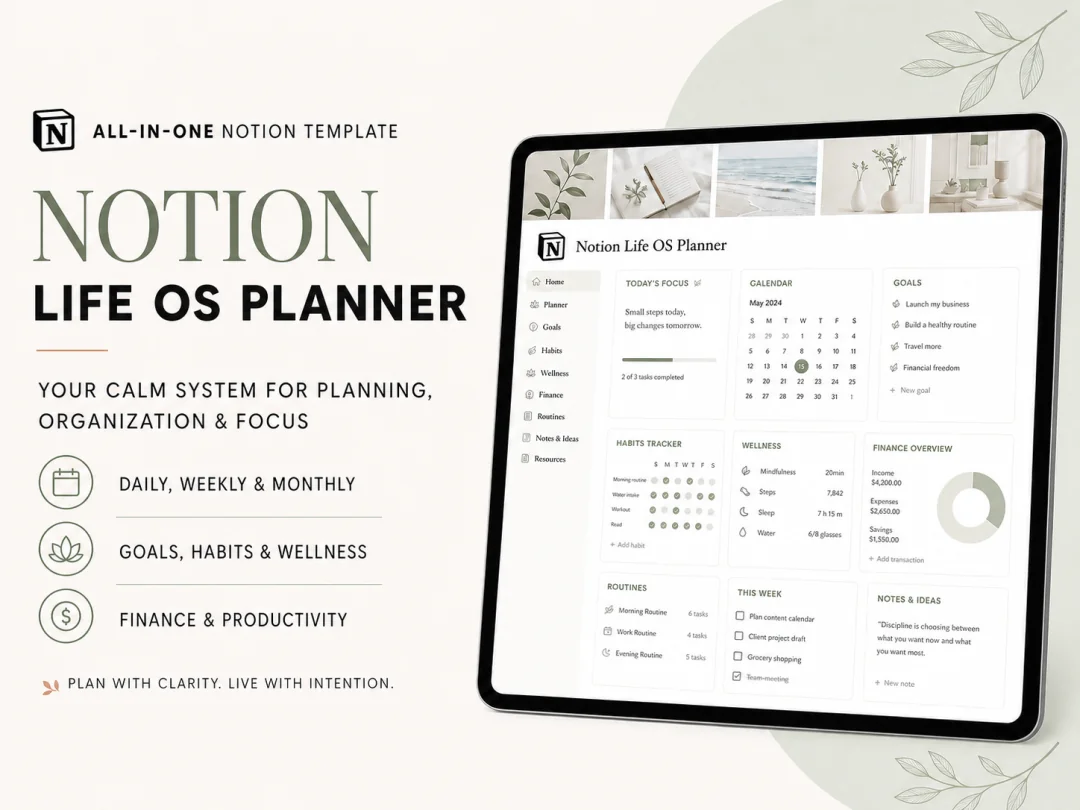
Notion Life OS is a ready-made Notion template. It has a dashboard, five life areas and a Planner Hub with daily, weekly and monthly planners. It also has a master to-do list with category, due date and status, an events list, a weekly habit tracker and a monthly calendar. It ships with light and dark themes, a YouTube tutorial and a setup guide. It costs $9 once and works with a free Notion account. Notion's pricing page lists unlimited pages and blocks for solo use on the Free plan.
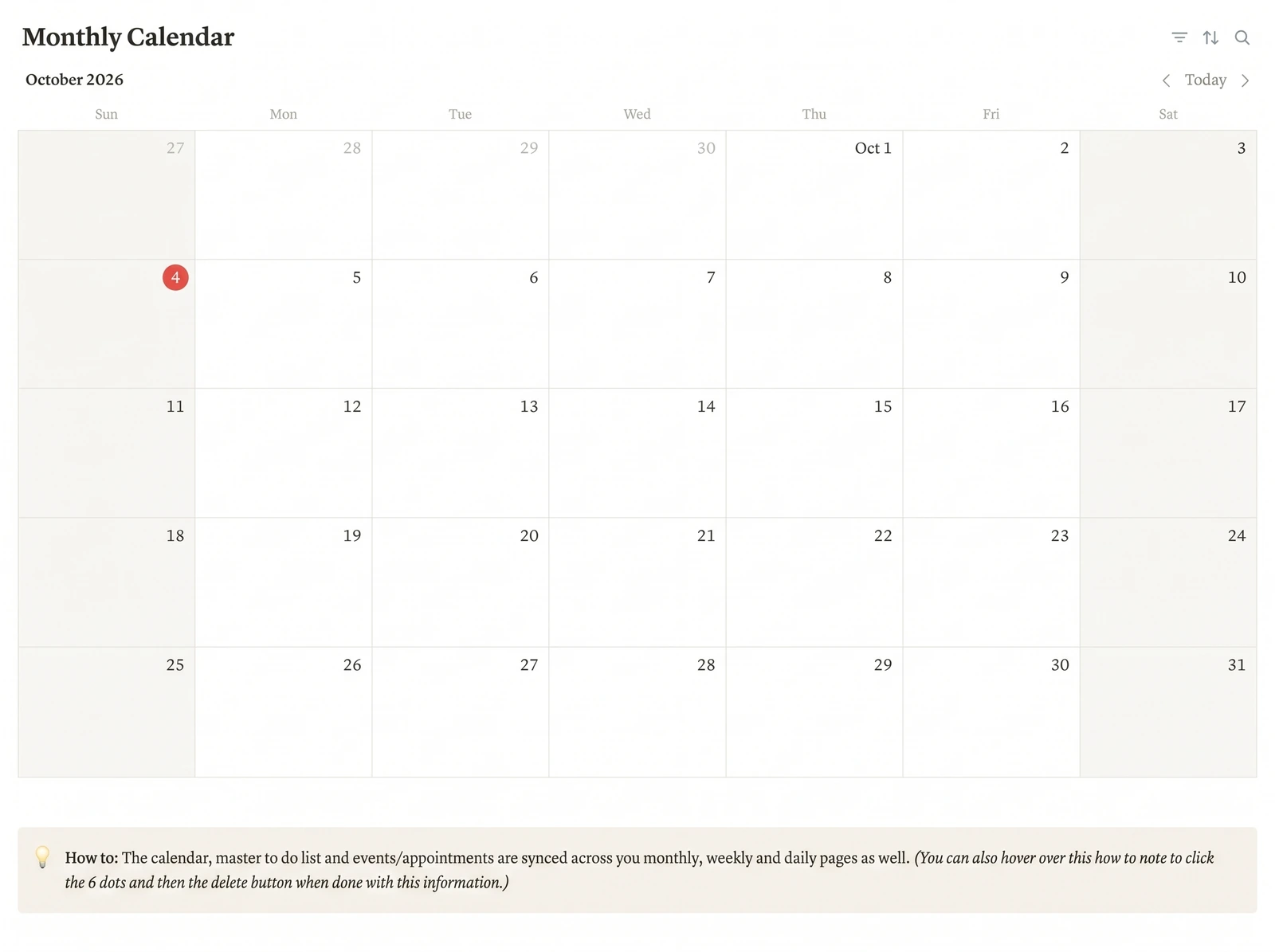
If you already know your size, duplicate the Notion Life OS template and filter it down to the areas you track. Hide whatever you do not use, because a system usually improves when you remove unnecessary parts.
Frequently asked questions
What is the 3-3-3 rule of productivity?
It is a daily planning rule: spend three hours on your most important work, finish three smaller tasks, and do three maintenance items such as email or errands. It is a small day plan, not a full system. It still needs a place to hold the tasks, which is the job of the list or database behind it.
What are the most popular productivity tools?
Paper notebooks, calendar apps, to-do apps and note apps are the most common. Notion sits in the middle because one workspace holds tasks, notes and calendars. The tool matters less than the rule it enforces, so pick the tool after you pick the system.
How do I choose a productivity system?
Count what you are tracking. One person with one job needs a single list and a weekly check. A person with projects, money and health needs areas and a review. A household needs shared ownership on top. Start with the smallest system that holds everything you track now.
Do I need paid Notion for a personal productivity system?
No, for one person. Notion's pricing page lists unlimited pages and blocks for solo use on the Free plan, with a 5 MB file limit per upload. Check notion.com/pricing before you build, because plans change.
How long does it take to set up a productivity system?
A single list takes 10 minutes. A five-area system with a daily, weekly and monthly view takes several evenings to build from scratch. A finished template cuts that to the time it takes to duplicate it and learn where things live.
Can I combine two productivity systems?
Yes. Many people run one capture rule and one review rule, such as a single inbox and a weekly sweep. Combine methods only when each one does a different job. Two methods that both decide your priorities will fight.
What is the fastest way to build a productivity system in Notion?
Start from a workspace with a dashboard, a master to-do list, a weekly habit tracker and planner pages already linked. Notion Life OS has these across five life areas for a one-time $9, and it works in a free Notion account.