Ivy Lee Method: Pick Six Tasks and Rank Them for Tomorrow
ivy lee method: choose up to six tasks, rank them, and start with the first tomorrow. Here is a simple Notion setup, with a clear rule for unfinished work.
By Notion Life OS by Cosmo Suite · Editorial policy
Published · 8 min read
The Ivy Lee method is a short planning routine: choose up to six important tasks for tomorrow, put them in priority order, then start with the first one. Its useful part is the choice you make before the day begins. The number six is a limit, not a target.
You can try it on paper or in Notion. In Notion, one task database can hold the full list while a filtered view shows only tomorrow's priorities. A connected workspace for personal tasks and planning can keep that daily list beside the rest of your life system. Here is how to set it up, when to adjust the six-task rule, and what to do with work that rolls over.
The Ivy Lee Method at a Glance
The method turns a long task backlog into a short, ordered plan for one day.
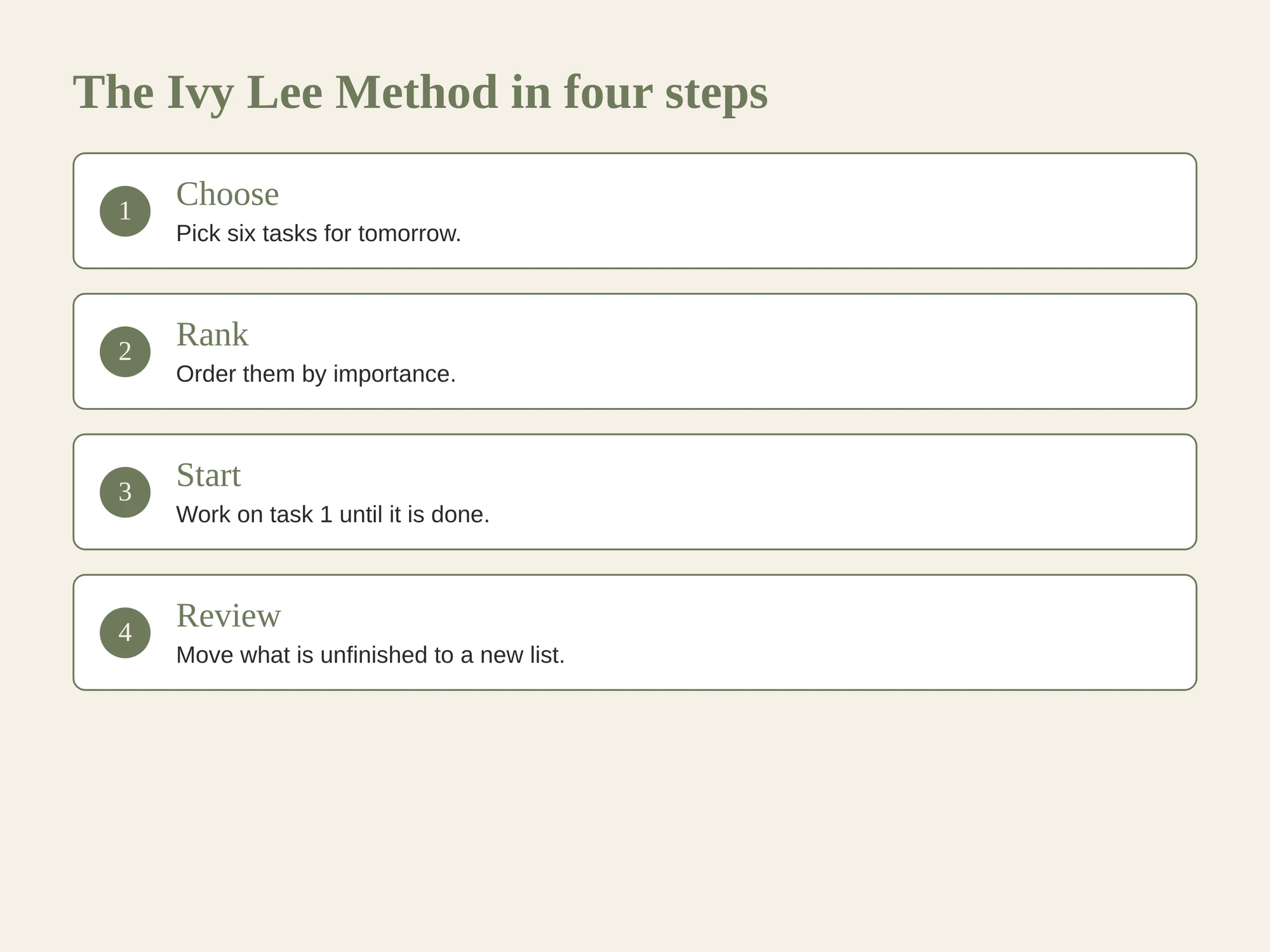
| Step | What to do | Why it helps |
|---|---|---|
| 1 | At the end of the day, choose up to six important tasks for tomorrow | You make the selection before new requests arrive |
| 2 | Rank them from most to least important | The order answers what to do next |
| 3 | Start with task one and work down the list | Switching tasks becomes a choice, not the default |
| 4 | Review anything unfinished before carrying it forward | Tomorrow's list stays intentional |
The routine does not estimate effort or protect time on your calendar. It gives you a sequence. You still need to check that the tasks fit the hours and commitments you have.
What Is the Ivy Lee Method?
People usually describe the Ivy Lee method as an evening routine for choosing and ranking the next day's most important tasks. The familiar story connects the routine to management consultant Ivy Lee and steel executive Charles Schwab, but its original source is hard to verify. James Clear notes the source problem and focuses on the routine instead of treating the story as proof.
For a useful version, keep the steps simple. Before you stop work, look over the tasks you have already captured. Select no more than six that matter tomorrow. Put them in order, then use that order as your starting point the next day. A University of Florida Graduate School time-management handout describes the same single-task sequence: finish the first task before moving to the next.
The method does not score your productivity. If you finish two important tasks and spend the rest of the day in a meeting or on an urgent request, the list still helped you choose where to begin. Ask whether it made the next action clearer.
When Does the Six-Task Rule Fit?
Six tasks can be a helpful ceiling when your day has room for several independent actions. It becomes a poor target when the day already contains fixed commitments or one substantial piece of work.
Treat a task as one result you can recognise, not a project label. “Prepare the weekly budget review” is vague. “Match this month's three utility bills to the budget” has a visible finish. A large project can appear on tomorrow's list as its next concrete step.
Use fewer than six when your time is limited. A day with a long appointment, a commute or caregiving duties may have space for one focused task and a few small errands. The routine does not ask you to pretend those limits are absent.
Use more than six only when you have a reason to depart from the traditional cap. A list of ten quick admin actions may be manageable, but it no longer provides much help in choosing. Group small related actions into one task if they share a clear outcome.
A sample list from a mixed day
Imagine tomorrow has one fixed appointment and a few open hours. Your backlog has six candidates: reply to a work request, renew a home insurance policy, return a library book, prepare a grocery list, sort a drawer and outline a proposal. These are sample tasks, not a record from a customer.
Put the work request first if it has a real deadline. The insurance renewal may come next if its date is close. The proposal needs a concrete next action, such as writing three section headings. The library return belongs on tomorrow's list if the branch closes that day. The drawer can wait. The grocery list stays only if you need it tomorrow.
The method leaves one item off the ranked list. That is useful: the list should show what you chose to do, while the rest of the backlog remains available for another review. The order is a decision, not a prediction that every task will fit.
How to Build the List in Notion
You can make a daily list from one Notion database. A database is a collection of pages with properties, and a view is one way to display and filter those pages. Notion's views and filters guide explains how one database can appear in different layouts.
Start with a task database containing these properties:
| Property | Type | Example |
|---|---|---|
| Task | Title | Draft the renewal email |
| Due | Date | 16 October |
| Priority | Number | 1 |
| Status | Status | Not started |
| Area | Select | Lifestyle, Finances, or Productivity |
Then add a list view named “Tomorrow.” Filter Due to tomorrow and Status to tasks that are not done. Sort Priority in ascending order, so 1 appears first. In the evening, select the tasks you intend to do and give them priority numbers from 1 to 6. The view shows the ranked tasks, but it cannot enforce a six-item maximum. You set that limit during the evening review.
Here is a sample wiring map for the daily view:
| Source | Rule | Shows up in |
|---|---|---|
| Master to-do list | Due is tomorrow; status is not done | Tomorrow view |
| Tomorrow view | Priority sorted from low number to high | First task at the top |
| Completed task | Status changes to done | Removed from the active view |
| Unfinished task | Date and priority reviewed by you | A later daily view, if it still matters |
This map separates the method's decision from Notion's display. The database stores the task, its status and date. You decide which six to prioritize. The view then displays that decision in order, while completed tasks leave the active list.
This is a demo setup, not a claim that the template includes a prebuilt Ivy Lee view. If your workspace already has a master to-do list, add a linked view of that database and keep the source tasks in one place. The Ivy Lee routine is the selection rule you add to the view.
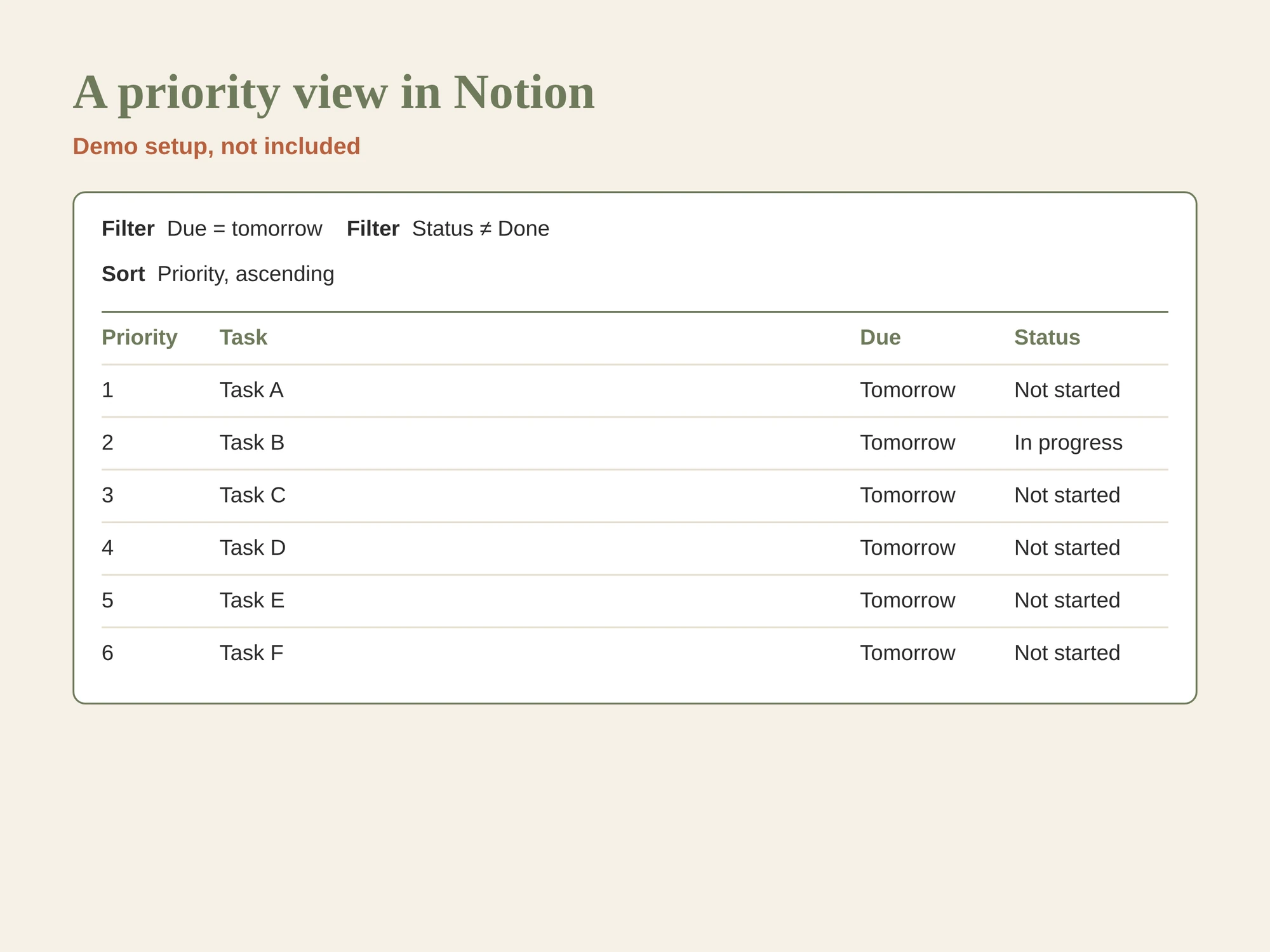
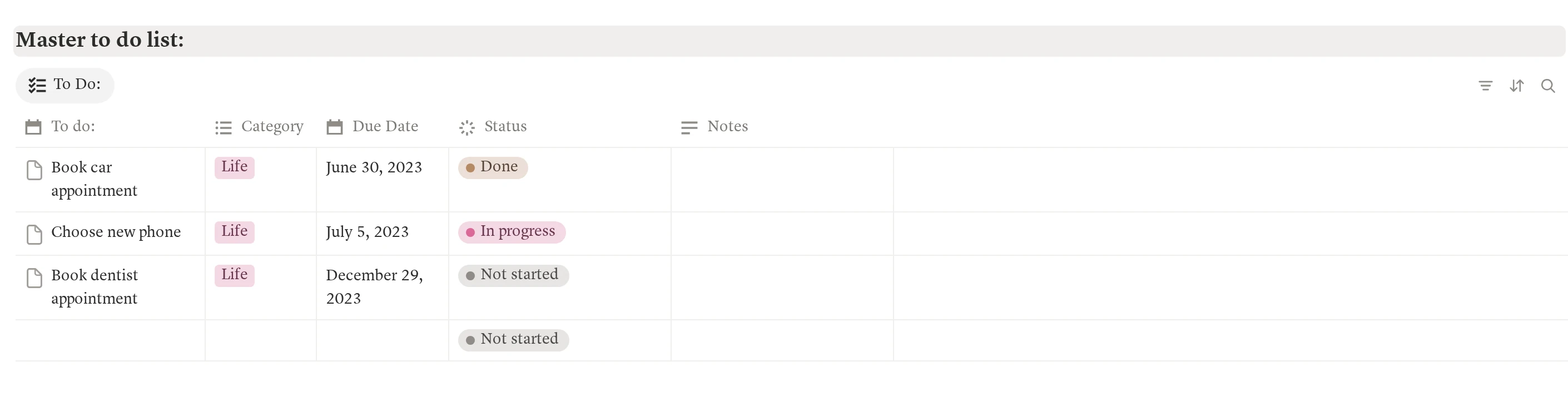
Sample task dates in this template screenshot are from 2023.
What Should You Do With Unfinished Tasks?
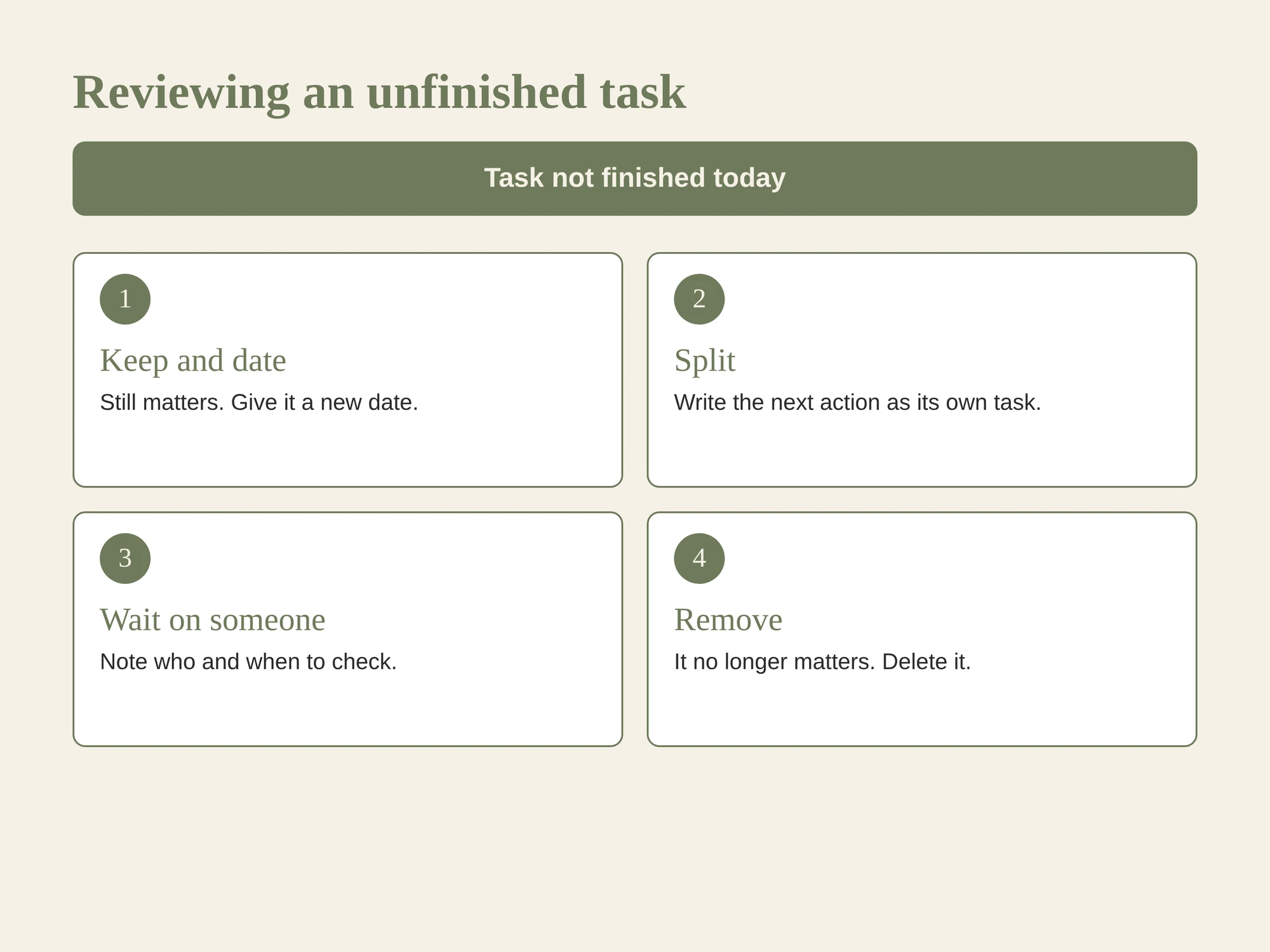
Do not move every unchecked task to tomorrow automatically. First ask whether the task still matters and whether its next step is clear.
If it still matters, keep it in the database and choose a realistic date. If the item is too large, replace it with the next action. If it depends on someone else, record the waiting point. If the reason has disappeared, remove it from the active list.
This review keeps the six-task list from turning into a backlog with yesterday's date. The method works best when the rank tells you what deserves attention now, while the database keeps other work visible without crowding today's plan.
If the daily view needs to sit beside tasks, events and other areas of life, a connected Notion workspace with a master to-do list can hold that wider structure. You still choose the priorities yourself.
How Does It Compare With the 3-3-3 Rule?
The Ivy Lee method orders tasks; the 3-3-3 rule divides time into categories. Use the first when you need a clear sequence. Use the second when you want a rough shape for the day.
One 3-3-3 version means three hours of focused work, three shorter tasks and three maintenance tasks, as ActiTime's time-management guide describes. Those blocks can help someone who already knows the day's available time. The Ivy Lee list can help when the harder question is which task should come first. Neither method accounts for every schedule, so adjust the plan around fixed commitments.
The two routines can also coexist. Choose a short ranked list with the Ivy Lee method, then reserve a block for the first task. Do not force the full list into a 3-3-3 structure if the tasks vary widely in effort.
How We Made and Checked This
We are the Cosmo Suite team that makes and sells Notion Life OS, so we have a commercial interest when we describe the template. This post explains a planning routine and a sample Notion setup. It does not report a productivity experiment or claim the method improves output. We checked the Notion view instructions and the public descriptions of the method on 15 October 2026. The Schwab story is often repeated, but its original source is difficult to trace, so we do not use its payment figure as evidence. Read who publishes this site and how we write and fact-check posts.
Where Notion Life OS Fits
The Ivy Lee method only needs a list and a nightly decision. A paper page or your current task app may be enough to try it. Notion can help when daily priorities are one slice of a wider set of tasks, events and areas of life.
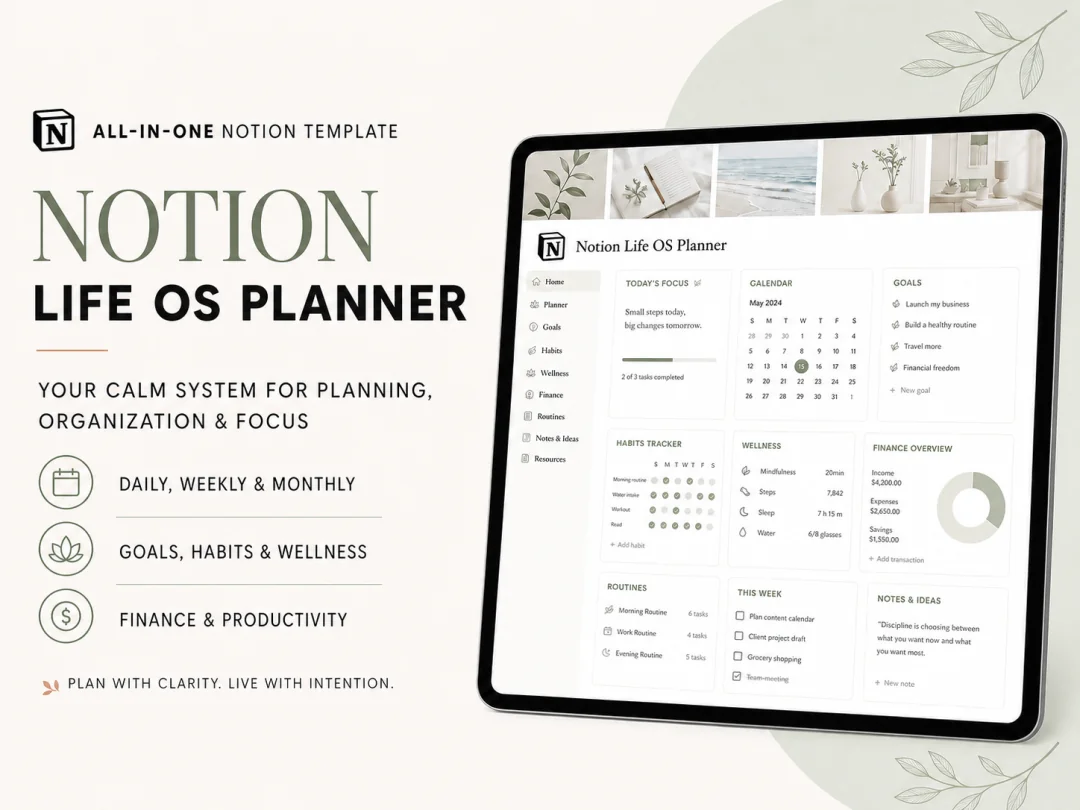
Notion Life OS is a ready-made workspace for personal planning. Its contents include a dashboard, five life areas, daily, weekly and monthly planner pages, a master to-do list, events, a weekly habit tracker and a monthly calendar. It also includes a Google Calendar link, a weather widget, light and dark themes, and a YouTube tutorial. The template does not include a special Ivy Lee feature; you can add the filtered view described above.
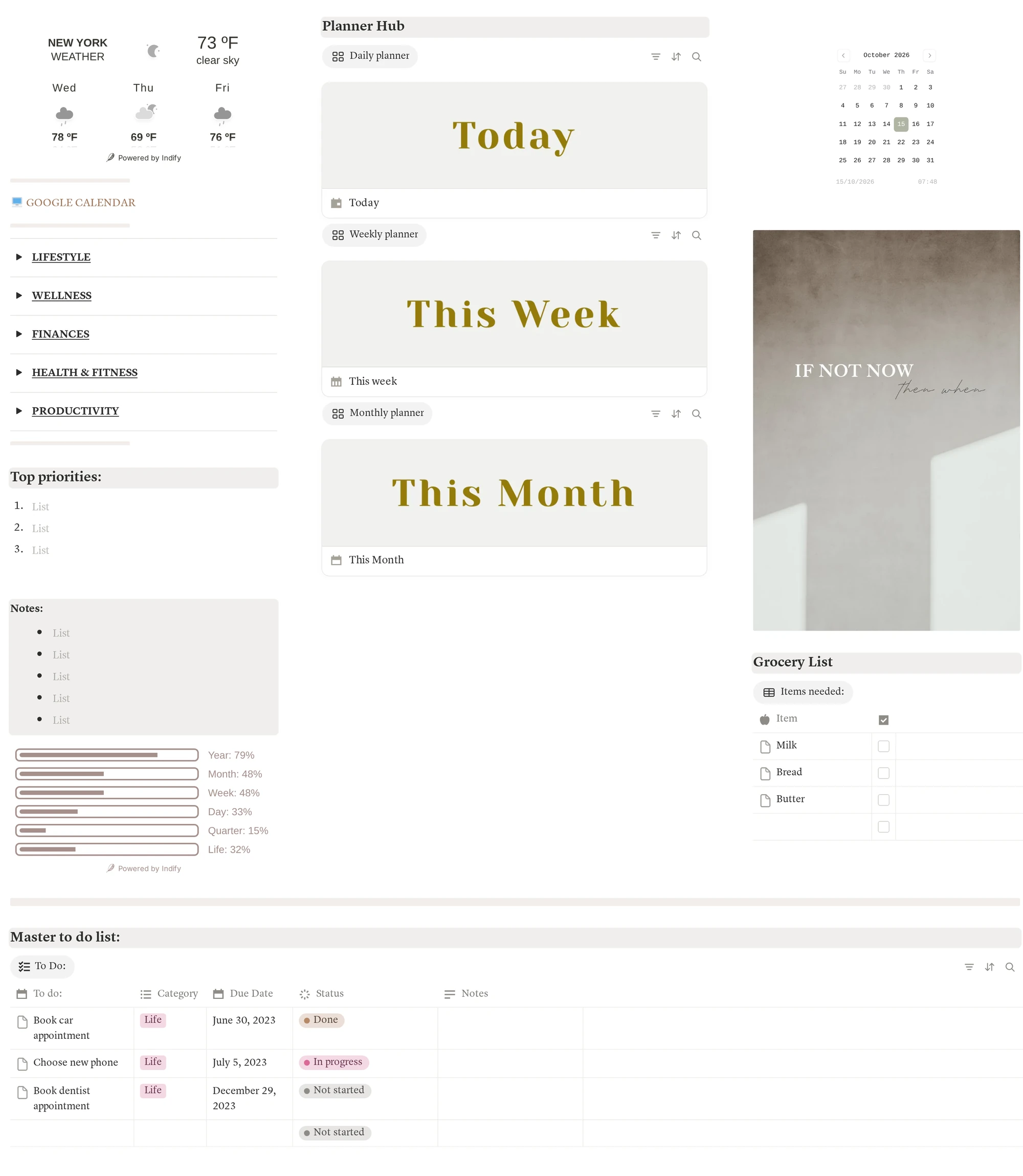
The dashboard capture includes sample task dates from 2023.
If you want to see how the pieces of a personal system fit together, read the guide to choosing a productivity system by its size and the explanation of what makes a Life OS work. A connected task list can feed your daily plan without creating a second source of truth.
Frequently asked questions
What is the Ivy Lee technique for time management?
It is a daily priority routine: write down up to six important tasks for tomorrow, rank them, then work through the list in order. If a task remains unfinished, decide whether it still matters and place it on a future list. The method is a prompt to choose, not a guarantee that six tasks fit every day.
Is the Ivy Lee method the same as the 3-3-3 rule?
No. The Ivy Lee method ranks a short list of tasks and asks you to do them in order. The 3-3-3 rule divides a day into three hours of focused work, three smaller tasks and three maintenance tasks. They solve different planning problems, and you can use either without adopting the other.
How many tasks should I put on my Ivy Lee list?
Use six as a ceiling from the traditional version, not a quota. If your day has two fixed appointments and one deep-work block, three meaningful tasks may be enough. Choose work that can move forward in the time you actually have, then rank those tasks by importance.
Can I use the Ivy Lee method in Notion?
Yes. Keep one task database, add a date and a priority number, then make a view filtered to tomorrow and sorted by priority. The six-task limit is a rule you follow; Notion will not enforce it unless you add your own process or automation.
What should I do with tasks I did not finish?
Review each one before moving it. Keep it if it still matters, split it if the next action is too large, schedule it if it has a real date, or remove it if the reason has gone. Copying every unfinished item forward without a decision makes tomorrow's list less useful.
Does the Ivy Lee method work for a whole household?
It can help one person choose a short daily list, but it does not assign shared work by itself. A household also needs an owner and a shared place for fixed dates. Keep the daily priority list as one view of those tasks instead of making a separate list that nobody else can see.
What is the quickest way to try the Ivy Lee method in Notion?
Start with a task list that has a date, status and priority field. Each evening, choose up to six tasks for tomorrow and number them from most to least important. A ready-made Notion workspace can save setup time, while a paper list is enough to test whether the routine suits you.